How to order, step by step
Six steps, published by the agent, unchanged in substance by the rename. What follows is those six steps with the awkward parts named: which step takes money, which step you can still change your mind at, and which step starts a clock.
Two pages sit either side of this one: choosing an item covers the decisions before step one, and what goes wrong covers what happens when one of these steps is skipped.
If you have never used an agent before, the shape to hold in your head is this: you are not buying from a shop, you are asking somebody in China to buy from a shop for you, store it, and then ship it. Everything odd about the process follows from that.
Step one: find it where it lives
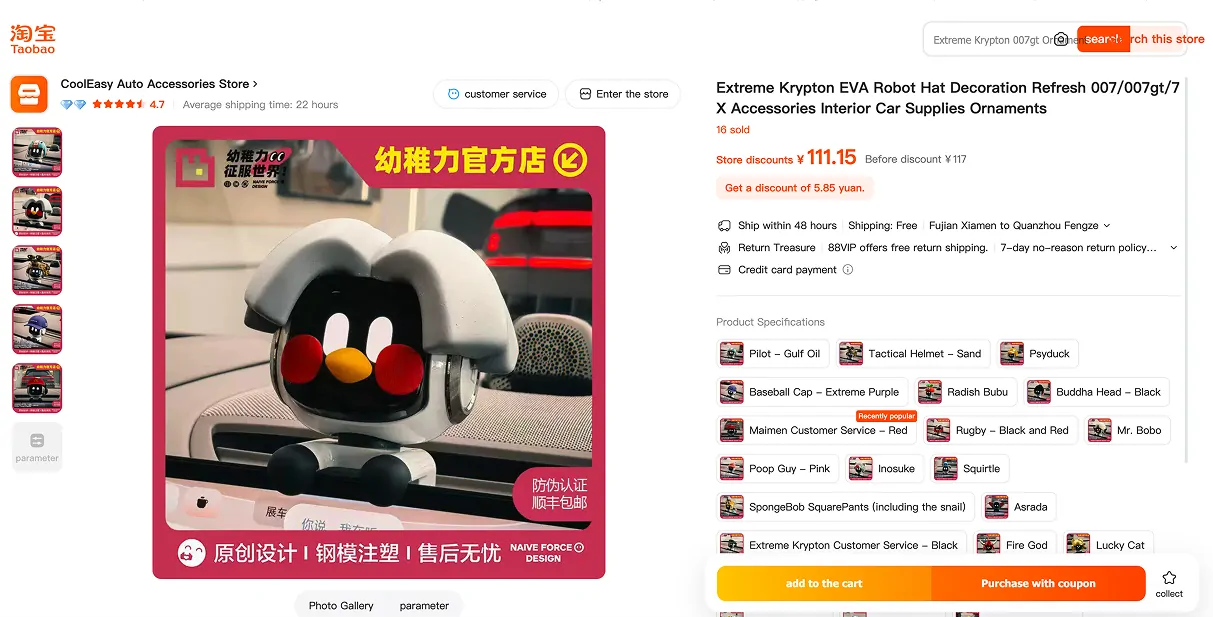
Start on the marketplace, not on the agent. A card on the Niuniubox Spreadsheet gets you to the seller page, and the seller page is where the real information is: the option list, the photographs at full size, whatever the seller published about sizing, and the sales record.
The official tip here is to save the product or the shop so it is easier to order later. That is worth doing for a second reason: listings close, and a saved shop is easier to search again than a dead link.
Step two: hand over the link
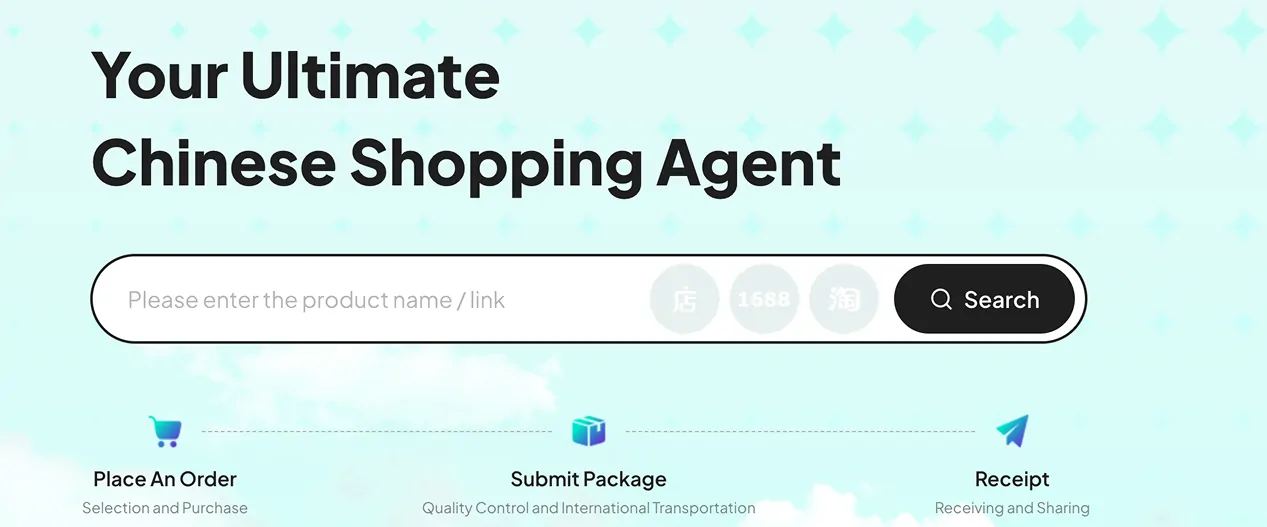
The agent front door is a search box that accepts either a product link or a keyword. Paste the link and it resolves to the listing wrapped in the agent interface, with the options intact.
One detail worth knowing, because it surprises people: the interface language and the currency are set by a switch in the header, and the product titles follow it. We loaded the same page twice on 4 August 2026 and the titles came back in English on one pass and in the seller original wording on the other. That is convenient, and it also means the English name you read is a machine rendering of the seller keywords rather than a name anyone chose.
The official tip for this step is that if you cannot find the item, contact support. Yupoo albums in particular have no checkout, so those go to the desk as a link or an image.
Step three: pick the options, then pay for the goods
This is the first payment, and it covers the goods plus whatever it costs to get them from the seller to the agent warehouse inside China. It does not cover international freight, which is quoted later against a real weight.
Two official notes sit on this step. The final price follows the actual purchase, because seller prices move between you clicking and the buyer paying. And if the item turns out to be out of stock, the order is refunded.
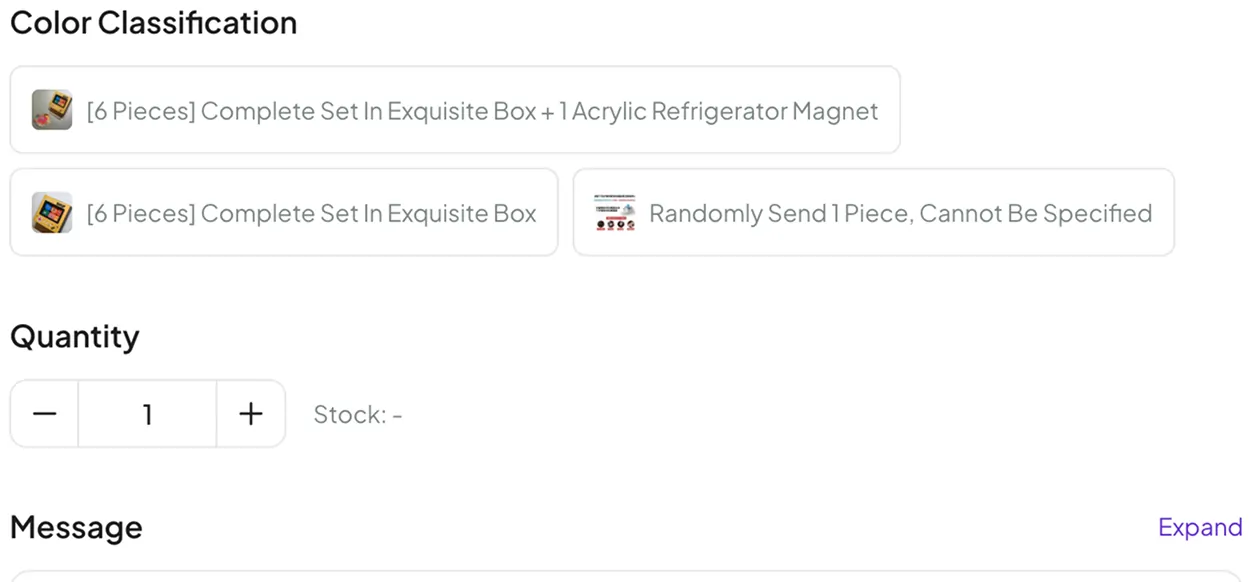
The message box is the part people skip
The form can express a colour, a size and a quantity. Everything else has to be written out: a shade that is not in the swatches, measurements in centimetres, which version of a listing you mean, or a request to photograph a particular detail before it ships.
Two things to hold on to. A message is a request, not a promise: somebody reads it before buying, and nobody guarantees an answer. And short beats polite. One sentence naming one specific thing gets acted on more often than a paragraph of context.
Packaging requests belong here too. The official wording mentions minimal packaging and reinforced packaging as things you can ask for. Both change the weight and the volume of the finished parcel, which changes the freight, so it is a decision rather than a free upgrade.
Step four: the warehouse checks it in
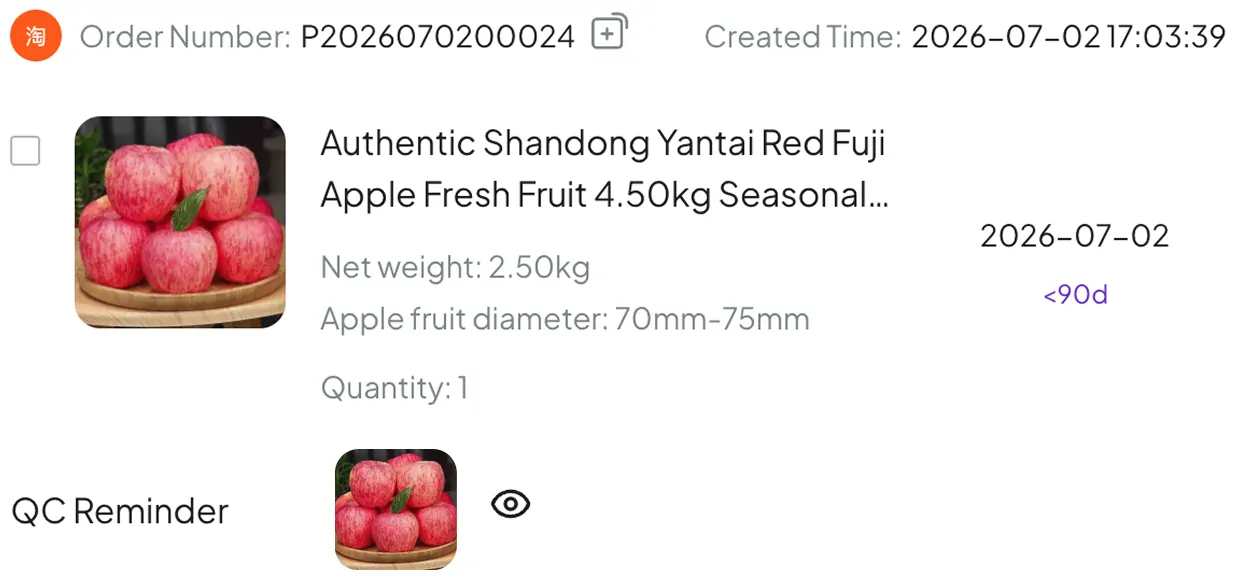
When the parcel reaches the warehouse it is booked in, photographed and looked over for defects. The photographs land on the order, and they are the first time you see your actual unit rather than a seller product shot.
This step is also where a clock starts. The return window is counted from the moment the order turns Warehoused, which means the useful window happens while the parcel is still in China. Costs and returns covers what that means in hours.
Step five: choose a route and pay the freight
Second payment. You get a list of routes, each on its own card, and the cards carry more information than they look like they do.
A courier name, a transit time, a note about tax handling, and then three weights: what the parcel actually weighs, what its size works out to, and which of the two you are being charged for. The last line is the one to read. A light bulky box gets priced like a heavy one, which is why a puffer jacket and a pair of jeans can cost the same to ship.
Then there is a can send and a cannot send line. That is where bare batteries, liquids and powders get stopped, and it is worth checking before you buy rather than after.
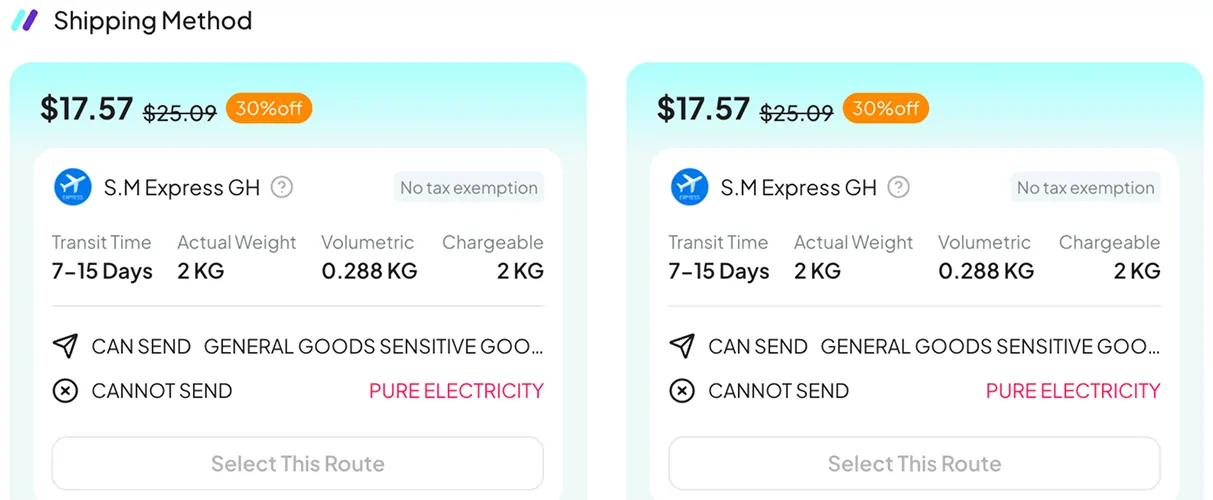
What the route cards look like
The prices on this screenshot are whatever they were on the day the agent made it. Route lists, discounts and transit bands change constantly, so read the shape of the card rather than the numbers.
Step six: watch the parcel move
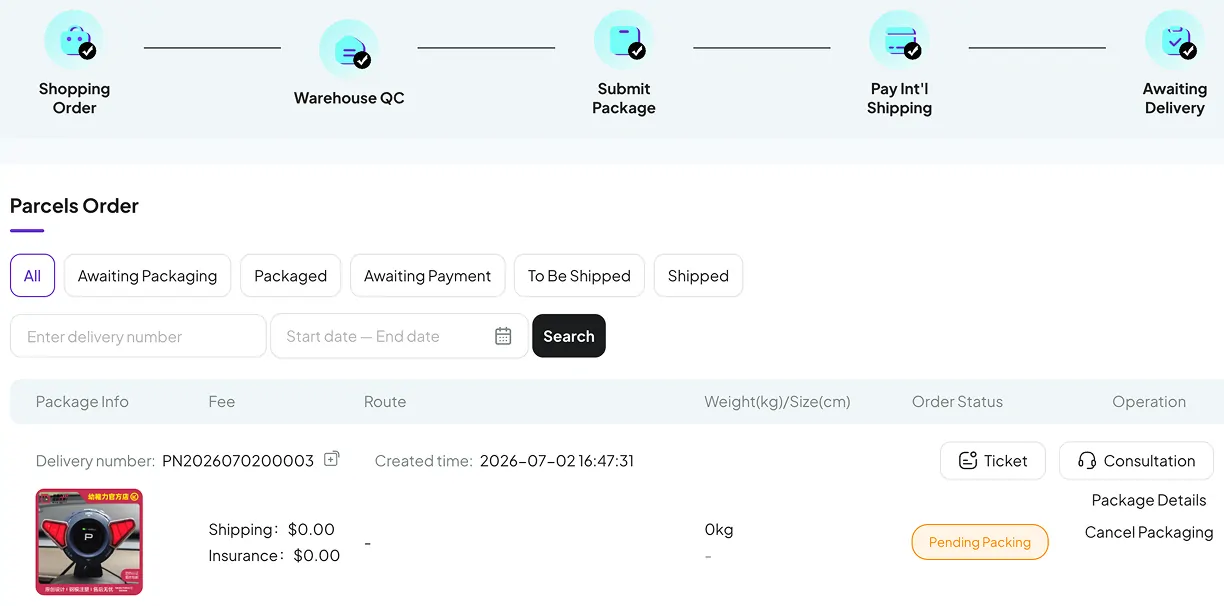
After dispatch, tracking information appears within three days according to the official guide. Before that, the parcel screen is where the state lives, and it uses five words in a fixed order.
The list also carries a shipping line and an insurance line per parcel, and two buttons that matter when something is wrong: one opens a ticket, the other starts a consultation. Those are the routes into support that are attached to a specific parcel, which makes them far more useful than a general email.
International transit takes as long as it takes. The official wording asks for patience, which is a polite way of saying that a quiet tracking page for a week is normal.
Four moments where a decision is cheap
Every one of these costs nothing at the time and something later.
Before you pay for the goods
Read the option list on the seller page and decide whether the size information published there is enough. If it is not, that is a message box question, and asking it now is free.
Before you pay for the goods, again
Open the public freight-estimate form with your destination, rough weight and dimensions. Finding out that shipping doubles the cost is better news now than after the item is bought.
When the check in photographs land
Look at them properly. This is the widest the return window will ever be, and it closes 120 hours after the status changes.
When you pick the route
Read the cannot send line and the chargeable weight, in that order. A route that refuses your item is a problem you want to discover here rather than at customs.
Two services that look alike and are not
The agent runs a second service where you post parcels to the warehouse yourself and it forwards them. It shares the warehouse and the route list, and almost nothing else.
Agent buys for you
- You hand over a link and the agent buys from the seller
- The item is checked and photographed at check in
- The five day return route exists, with conditions
- Support can talk to the seller on your behalf
You forward your own parcel
- You get a warehouse address and post it in yourself
- Everything forwarded is unpacked and inspected on arrival
- The transportation policy states that no after-sales service is provided for forwarded goods
- Cash on delivery charges are taken from your account balance without a separate confirmation
Continue with the official tutorial
The official shopping guide follows product selection, ordering, warehouse receiving, freight payment and tracking. Use it alongside the screenshots above when a control has moved.
Open Pikobuy’s illustrated shopping guide · Official tutorial channel